
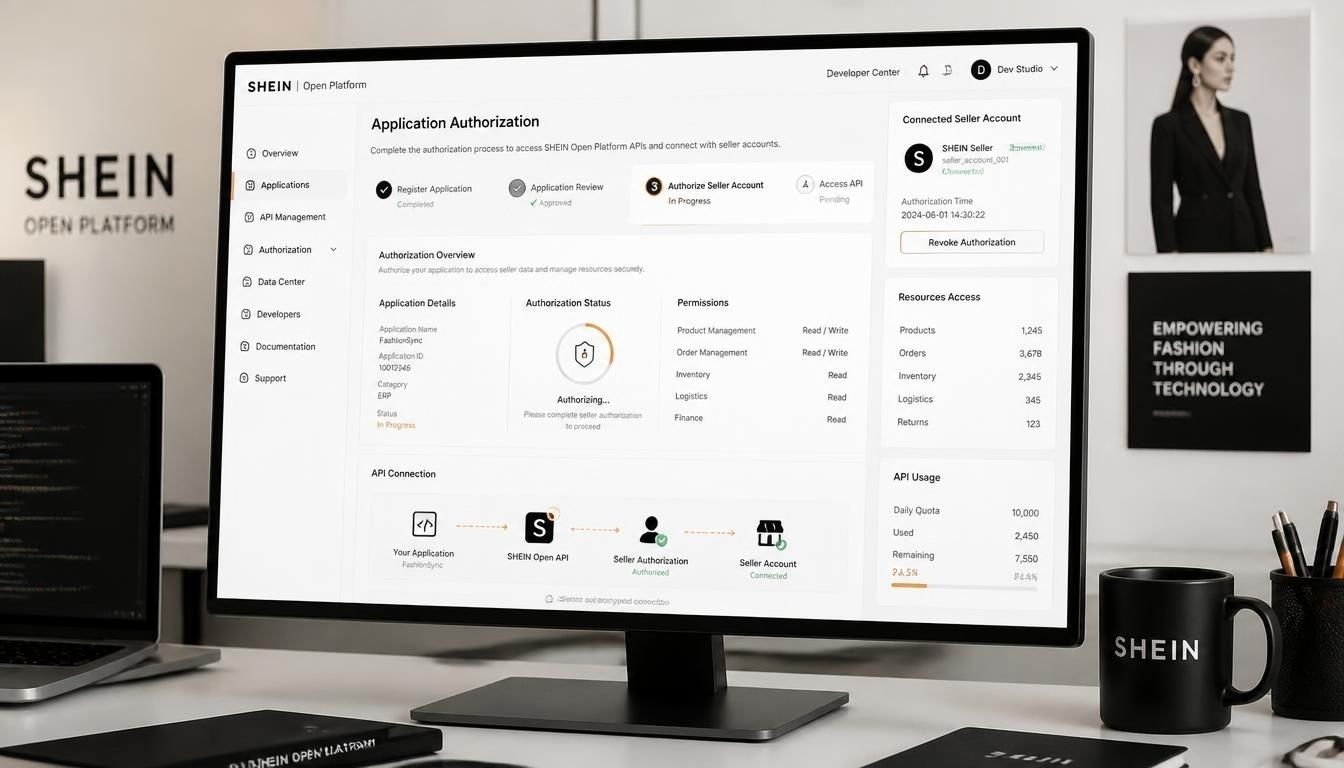
The SHEIN Open Platform allows developers to connect external software with SHEIN seller accounts through APIs. Businesses can use these integrations to manage products, orders, inventory and fulfillment activities without handling every task manually.
However, accessing the platform requires more than creating an account. Developers must complete account verification, submit an application, pass the platform review and implement the seller authorization process.
The SHEIN Open Platform developer application authorization process is particularly important for software companies building ERP systems, inventory management tools, order management platforms and other e-commerce solutions.
Understanding each stage helps developers avoid application mistakes and prepare their systems before requesting access to real seller data.
Key Takeaways
- Developers must register and verify a SHEIN Open Platform account before creating an application.
- SHEIN supports seller-owned development teams and third-party software providers through different developer account types.
- Applications require review before developers can access production API credentials.
- Sellers must authorize an application through their primary SHEIN store account before it can access store data.
- Developers must configure API signatures, IP whitelisting and approved webhook addresses before production integration.
What the SHEIN Open Platform Does
The SHEIN Open Platform provides APIs and webhooks that allow approved external applications to communicate with SHEIN’s marketplace systems.
Developers can build software that supports several business operations.
| Integration area | What developers can build |
|---|---|
| Product management | Publish and manage product listings |
| Order management | Retrieve and process seller orders |
| Inventory management | Synchronize product inventory |
| SHEIN fulfillment | Manage shipping appointments and shipping labels |
| Seller fulfillment | Submit tracking numbers and update order statuses |
| Stock preparation | Manage stock preparation order fulfillment |
| Webhooks | Receive notifications about relevant marketplace events |
The available capabilities depend on the application type and the API permissions approved for it.
For example, an inventory management company may need product and inventory APIs. An order management platform may also require order retrieval and fulfillment capabilities.
Developers should identify these requirements before creating an application because the selected application type determines which API capabilities are available. open.sheincorp.com+1
Step 1. Register a SHEIN Developer Account
Start by visiting the official SHEIN Open Platform.
The first requirement is to register a developer account and complete the developer qualification process.
During registration, you need to select the developer account type that matches your business.
Choose the correct developer type
SHEIN provides three developer classifications.
1. Seller self-developed
This option is intended for development teams working directly for a SHEIN seller.
For example, a retailer with an internal IT department that wants to connect its own inventory software to its SHEIN store may select this category.
2. Independent Software Vendor (ISV)
This category is designed for third-party software companies that develop applications for multiple SHEIN sellers.
Examples include:
- ERP software providers
- Inventory management platforms
- Order management systems
- E-commerce integration services
- Product management applications
If you plan to offer your application to different sellers in the United States or other supported markets, ISV is generally the appropriate category.
3. Platform-invited developer
This category is reserved for developers specifically invited by SHEIN.
Regular software companies should not select this option without an invitation.
Important
Developer classification requires careful consideration. SHEIN states that an approved developer account’s qualification type cannot be changed. Each developer account supports only one qualification type.
Complete developer verification
After choosing the appropriate classification, submit the required qualification information and supporting documents.
The required materials depend on the selected developer type.
SHEIN reviews the submitted information and communicates the result through SMS or email. If additional clarification is required, developers can contact the platform through its support ticket system.
Do not proceed on the assumption that registration automatically grants API access. Developer qualification and application approval are separate stages. open.sheincorp.cn+1
Step 2. Create Your SHEIN Developer Application
Once your developer qualification is approved, you can create an application through the developer console.
Navigate to Application Management and start the application creation process.
Before submitting the application, determine which SHEIN business model your software will support.
Understand SHEIN application types
SHEIN supports different application types based on the seller’s operating and fulfillment arrangement.
| Application type | Business arrangement |
|---|---|
| Self-operated | Sellers manage product selection, store operations, fulfillment and after-sales activities |
| Fully managed | Sellers supply products while SHEIN handles major operational and fulfillment activities |
| Semi-managed | Sellers maintain overseas inventory and handle customer order fulfillment with platform support |
| SHEIN-operated | SHEIN manages major sales and fulfillment activities while suppliers provide products |
| POP | Marketplace sellers operate their stores under applicable platform fulfillment arrangements |
The correct application type depends on the sellers your software is designed to support.
For example, an ERP provider serving sellers who manage their own inventory and shipping may need a self-operated application.
A solution designed for sellers using a different fulfillment arrangement may require another application type.
Can one developer create multiple applications?
Yes. A developer may create multiple applications when supporting different business models.
For example, an ISV providing software for both self-operated and fully managed sellers may need separate applications for those arrangements.
Each application should represent a clearly defined integration purpose.
Submit application information
During application creation, provide accurate information about your software.
This generally includes:
- Application name
- Application icon
- Application description
- Selected application type
- Other requested application details
Pay particular attention to the application name and description.
These details are presented to sellers when they evaluate your software and decide whether to authorize it.
SHEIN also indicates that application information cannot be freely edited after approval. Changes may require contacting the platform.
Submit a clear description of what the application does and how it supports SHEIN sellers. Avoid vague descriptions that do not explain the actual functionality.
Step 3. Wait for Application Review and Approval
After submitting the application, SHEIN reviews it before allowing it to become operational.
This is an important distinction in the SHEIN Open Platform developer application authorization process.
Developer account approval does not mean that every application you create is automatically approved.
The application must pass its own review.
What happens during application review?
The platform evaluates the submitted application information and its suitability for the selected integration arrangement.
The exact review requirements and duration can vary depending on the application type.
You should:
- Monitor your developer account for application status updates.
- Check your registered email and phone for notifications.
- Respond to additional information requests.
- Use the support ticket system if clarification is needed.
When do API credentials become available?
A submitted application does not immediately provide valid production access credentials.
According to the platform’s developer guidance, an application under review is not yet active and cannot obtain valid App ID and App Secret credentials for normal API integration.
Wait until the application has passed review before proceeding with production integration.
This prevents developers from building their production workflow around credentials that are not yet available. open.sheincorp.cn+1
Step 4. Configure API Permissions and Test the Application
After application approval, developers should prepare the integration before inviting real sellers.
This stage involves identifying required API endpoints, subscribing to available capabilities and testing authentication.
Identify the required APIs and webhooks
Start by reviewing the business requirements of your application.
For example, an order management application may need to:
- Retrieve new orders.
- Read order details.
- Process fulfillment information.
- Update shipping or tracking details.
- Receive relevant order notifications.
An inventory management application may need different API permissions.
Check the application’s API permission packages in the developer console. Subscribe to the required API capabilities and webhook events where available.
Do not request or build around capabilities that your application does not actually need.
Test the authorization workflow
SHEIN provides a testing environment and authorization testing tools.
Developers can use these tools to simulate the seller authorization process without requiring a real merchant account for every test.
The testing process should verify that:
- The authorization link opens correctly.
- The redirect URL receives the expected information.
- The temporary token can be exchanged successfully.
- The returned credentials can be stored securely.
- API requests pass signature verification.
Verify API signature generation
SHEIN requires signed requests for API authentication.
The signature must follow the platform’s documented calculation rules.
Pay attention to:
- Application ID
- Authorized account credentials
- Request timestamp
- Request path
- Secret key handling
- Required request headers
A correct API endpoint with an incorrect signature can still return an authentication error.
The platform also provides signature verification documentation and testing tools to help developers identify implementation problems.
Use the correct testing environment
The testing and production environments are separate.
A developer should not mix testing credentials with production API endpoints.
The official developer documentation identifies the following testing endpoint for relevant integrations:
The correct production endpoint depends on the selected application type and business model.
Step 5. Understand the Seller Authorization Process
Application approval and seller authorization are two different things.
Even after your application is approved, you cannot access a seller’s private store information until that seller grants permission.
SHEIN uses an authorization process to establish a secure relationship between the developer’s application and the seller’s store.
1. Generate the seller authorization link
Your application needs to generate an authorization URL containing the required parameters.
The documented authorization process includes:
- Host or authorization environment
- Application ID (App ID)
- Redirect URL encoded in Base64
- State parameter
The redirect URL identifies where SHEIN should send the seller after authorization.
The state parameter helps your application associate the authorization response with the correct user session or integration request.
Generate the link using the correct environment and application credentials.
2. Seller logs into the SHEIN account
Share the generated authorization link with the seller.
The seller then:
- Opens the authorization link.
- Logs into the SHEIN Seller Hub using the store’s primary account.
- Reviews the application authorization request.
- Approves the application.
- Returns to the redirect page configured by the developer.
Primary account required
SHEIN requires the merchant’s primary store account to complete application authorization. Subaccounts cannot authorize developer applications.
This is important when integrating with larger businesses where multiple employees manage different store operations.
3. Receive the temporary authorization token
After the seller approves the application, SHEIN redirects the seller to the configured callback URL.
The redirect response includes:
tempTokenstate
Your application should validate the returned state against the original authorization request.
The temporary token is used to obtain the credentials required for subsequent API communication.
Important: The temporary token is valid for 10 minutes. If it expires before your application exchanges it, the seller needs to complete the authorization process again.
4. Exchange the temporary token for API credentials
The next step is to exchange the received temporary token for the seller’s authorization credentials.
SHEIN provides the following API endpoint:
POST /open-api/auth/get-by-token
The request uses the developer application’s authentication information.
Important request headers include:
| Header | Purpose |
|---|---|
x-lt-appid | Identifies the developer application |
x-lt-timestamp | Provides the request timestamp |
x-lt-signature | Verifies the request signature |
Content-Type | Specifies JSON request content |
For this particular exchange request, SHEIN specifies that developers should generate the signature using the application’s App ID and App Secret Key because the seller’s authorization credentials have not yet been obtained.
A successful exchange returns:
openKeyIdsecretKey
These credentials establish the relationship between the authorized seller’s store and your application.
The application can then use the credentials to make permitted API requests.
5. Store the authorization credentials securely
The returned credentials should be stored securely on your server.
Avoid exposing them through:
- Frontend JavaScript
- Public application pages
- Browser URLs
- Client-side logs
- Public code repositories
Your application should associate each authorization record with the correct seller and store.
This becomes particularly important when one software application connects to multiple sellers.open.sheincorp.com+2
Step 6. Prepare the Application for Production
Testing an application successfully does not automatically make it ready for real sellers.
Before launching your integration, complete the production preparation requirements.
Add your server IP to the whitelist
SHEIN requires developers to add their application server IP addresses to the platform’s IP whitelist.
Without the required IP approval, production API requests may be rejected.
Make sure the IP address submitted to SHEIN matches the server that actually sends API requests.
If your infrastructure changes, review the whitelist configuration before moving traffic to a new server.
Get webhook callback approval
If your application uses webhooks, configure the production callback URL and submit it for approval.
Webhooks allow SHEIN to send notifications about relevant events to your application.
For example, an order management system may receive notifications when order information or status changes.
Your webhook implementation should:
- Accept the required POST requests.
- Verify incoming signatures.
- Decrypt event information according to the documented rules.
- Process notifications reliably.
- Return an appropriate HTTP success response.
SHEIN’s webhook documentation specifies that a 2xx response indicates successful receipt of a notification.
Do not assume that subscribing to webhook events alone is enough. The production callback address must also complete the required approval process. open.sheincorp.com+1
Select the correct production API domain
The production API domain depends on the application type.
| Application arrangement | Production API domain |
|---|---|
| Self-operated | https://openapi.sheincorp.com |
| Semi-managed | https://openapi.sheincorp.com |
| Fully managed | https://openapi.sheincorp.cn |
| SHEIN-operated | https://openapi.sheincorp.cn |
| Other supported arrangements | https://openapi.sheincorp.cn |
Always confirm the endpoint in the current documentation for your specific application.
Using the wrong domain or mixing testing and production credentials can cause authentication failures. open.sheincorp.cn+1
Step 7. Launch the Application and Connect Sellers
Once the application is approved, the required permissions are configured, and production preparation is complete, you can begin onboarding sellers.
Your onboarding process should make authorization straightforward.
A practical seller onboarding workflow looks like this:
- Seller creates an account with your software.
- Your application explains the SHEIN integration.
- Seller selects Connect SHEIN.
- Your application generates the authorization link.
- Seller logs in using the primary SHEIN store account.
- Seller approves the requested access.
- Your application receives the temporary token.
- Your server exchanges the token for authorization credentials.
- Your application verifies the connection.
- The seller can start using the available integration features.
After successful authorization, your software can retrieve or update permitted store information through the relevant APIs.
Managing multiple seller accounts
Third-party software providers often need to support multiple stores.
Each store authorization creates a unique relationship between the application and that store.
Do not assume that one seller’s credentials can be reused for another seller.
Your database should maintain separate authorization records for each store.
A practical structure might include:
| Database field | Purpose |
|---|---|
| Seller ID | Identifies your software customer |
| SHEIN Store ID | Identifies the connected store |
| App ID | Identifies your developer application |
| openKeyId | Identifies the application-store relationship |
| Secret key | Supports authenticated API requests |
| Authorization status | Tracks the connection state |
| Last authorization date | Helps monitor account changes |
The platform also provides a store information API that can help developers distinguish between multiple stores belonging to the same merchant.
This is useful for ERP platforms and other multi-store management systems. open.sheincorp.com
Common Authorization Problems and How to Fix Them
Even after successful application approval, developers may encounter authentication or authorization problems.
Understanding the common causes can reduce troubleshooting time.
| Problem | Possible cause | Recommended action |
|---|---|---|
| Authorization link fails | Incorrect App ID or redirect URL | Check the generated authorization URL |
| Token exchange fails | Temporary token expired | Ask the seller to authorize again |
| Signature error | Incorrect signing parameters | Review the signature calculation |
| API access denied | Missing API permissions | Check the application’s permission package |
| IP whitelist error | Server IP is not approved | Submit the correct server IP |
| Invalid credentials | Old or incorrect secret key | Check the latest authorization record |
| Seller authorization fails | Subaccount used instead of primary account | Ask the seller to use the primary account |
| Webhook notifications missing | Callback approval or subscription issue | Verify webhook configuration |
What happens when a seller reauthorizes an application?
Reauthorization is an important situation to handle correctly.
According to SHEIN’s developer documentation:
- The
openKeyIdremains unchanged after reauthorization. - The
secretKeyis updated. - Developers must use the latest secret key for subsequent API requests.
If your application continues using the previous secret key, API requests may fail even though the seller’s application authorization is still active.
Your system should update the stored credentials whenever a new authorization response is successfully received. open.sheincorp.com
How can a seller revoke application access?
SHEIN provides a seller-side process for removing an application’s authorization.
The seller can:
- Log into SHEIN Seller Hub.
- Open the App Store section.
- Navigate to My Authorizations.
- Locate the connected application.
- Select Deauthorize.
The platform documentation indicates that a dedicated API for deauthorization is not currently provided.
Your software should therefore detect authorization failures and provide a clear reconnection process rather than assuming access will remain permanent. open.sheincorp.com
Choosing the Right Developer and Application Setup
Selecting the correct developer classification and application type early can prevent unnecessary rework.
The best setup depends on who will use your software, which seller operations it supports and how those sellers work with SHEIN.
Which developer account type should you choose?
| Your situation | Suitable developer type |
|---|---|
| Building software for your own SHEIN business | Seller self-developed |
| Selling an ERP or SaaS product to multiple SHEIN sellers | ISV |
| Developing under an official SHEIN invitation | Platform-invited |
For most independent software companies planning to serve multiple merchants, ISV is the logical choice.
A seller-owned development team should generally use seller self-developed instead.
Do not select a category simply because it appears easier to approve. The developer classification has long-term implications and cannot be changed after approval.
Should you create one application or multiple applications?
Consider the business models your software will support.
One application may be sufficient when:
- Your software supports one specific seller arrangement.
- Your required APIs fit within one application type.
- Your integration has a clearly defined purpose.
Multiple applications may be necessary when:
- You support different SHEIN business models.
- Different seller groups require separate integration arrangements.
- Your API capabilities vary by application type.
Separate applications can make permission management and integration testing easier, but they also create additional development and maintenance responsibilities.
What should you complete before inviting real sellers?
Use this practical readiness checklist.
- Developer account qualification approved
- Correct application type selected
- Application review completed
- Required API permissions configured
- Authorization link tested
- Temporary token exchange verified
- API signature generation tested
- Seller credentials stored securely
- Production server IP approved
- Webhook callback approved if applicable
- Correct production API domain configured
- Seller reconnection and deauthorization handling implemented
A successful test of the authorization link alone is not enough. Your application should complete the entire authentication and business workflow before onboarding real sellers.
Frequently Asked Questions
1. How do I apply for the SHEIN Open Platform developer program?
Visit the SHEIN Open Platform, register a developer account, select the appropriate developer classification and submit the required qualification information. After developer approval, you can create and submit an application for review.
2. Is SHEIN developer approval the same as seller account approval?
No. Developer approval allows you to create and manage software applications. Seller approval is a separate process for businesses seeking permission to sell products through SHEIN Marketplace.
3. Can an individual developer apply for SHEIN API access?
The appropriate route depends on the developer’s business arrangement and qualification requirements. The platform distinguishes between seller-owned development teams, third-party software providers and invited developers. Review the current qualification requirements before registering.
4. How long does SHEIN application approval take?
The platform does not establish one universal approval timeline for every application type. Review duration can vary. Monitor your developer dashboard and registered communication channels for updates.
5. Can multiple sellers authorize the same developer application?
Yes. Third-party software providers can build applications that support multiple sellers. Each seller must independently authorize the application, and each store receives its own authorization credentials.
6. Can a SHEIN subaccount authorize a developer application?
No. The seller’s primary store account must complete the application authorization. Subaccounts cannot perform this authorization.
7. What happens if the temporary authorization token expires?
The temporary token is valid for 10 minutes. If it expires before the exchange process is completed, the seller must repeat the authorization process to generate a new token.
8. What is the difference between App ID and openKeyId?
App ID identifies your developer application.
The openKeyId identifies the authorization relationship between that application and a particular seller’s store.
App ID is associated with your application, while openKeyId is associated with an authorized store connection.
9. Can a seller revoke an authorized SHEIN application?
Yes. Sellers can access My Authorizations through the App Store section of SHEIN Seller Hub and deauthorize an application. Developers should provide a reconnection workflow for sellers who later want to restore access.
10. What should developers do if API requests fail after seller reauthorization?
Check the latest authorization credentials. SHEIN updates the secretKey after reauthorization while keeping the openKeyId unchanged. Your application must use the updated secret key to generate valid API signatures.
11. Can developers test SHEIN APIs without connecting a real seller?
Yes. SHEIN provides testing tools and test-store information to help developers test authorization, signature generation and API business logic before connecting real sellers.
12. Where can developers get help with SHEIN API integration?
Developers can consult the official documentation, submit a support ticket or contact the SHEIN Open Platform team at openapi@shein.com.
Before Launching Your SHEIN Integration
The most important part of building a SHEIN integration is understanding that developer registration, application approval and seller authorization are separate requirements.
A software company should first secure the correct developer classification, create an application for its intended business model and complete the platform review.
It should then test the authorization workflow, exchange temporary tokens correctly and prepare its production infrastructure.
For third-party software providers serving US merchants, a reliable multi-store authorization system is especially important. Each seller must approve the connection independently, and your application must protect and maintain the credentials associated with every connected store.
Completing these steps before inviting customers creates a more reliable integration and reduces avoidable authorization problems during onboarding.