
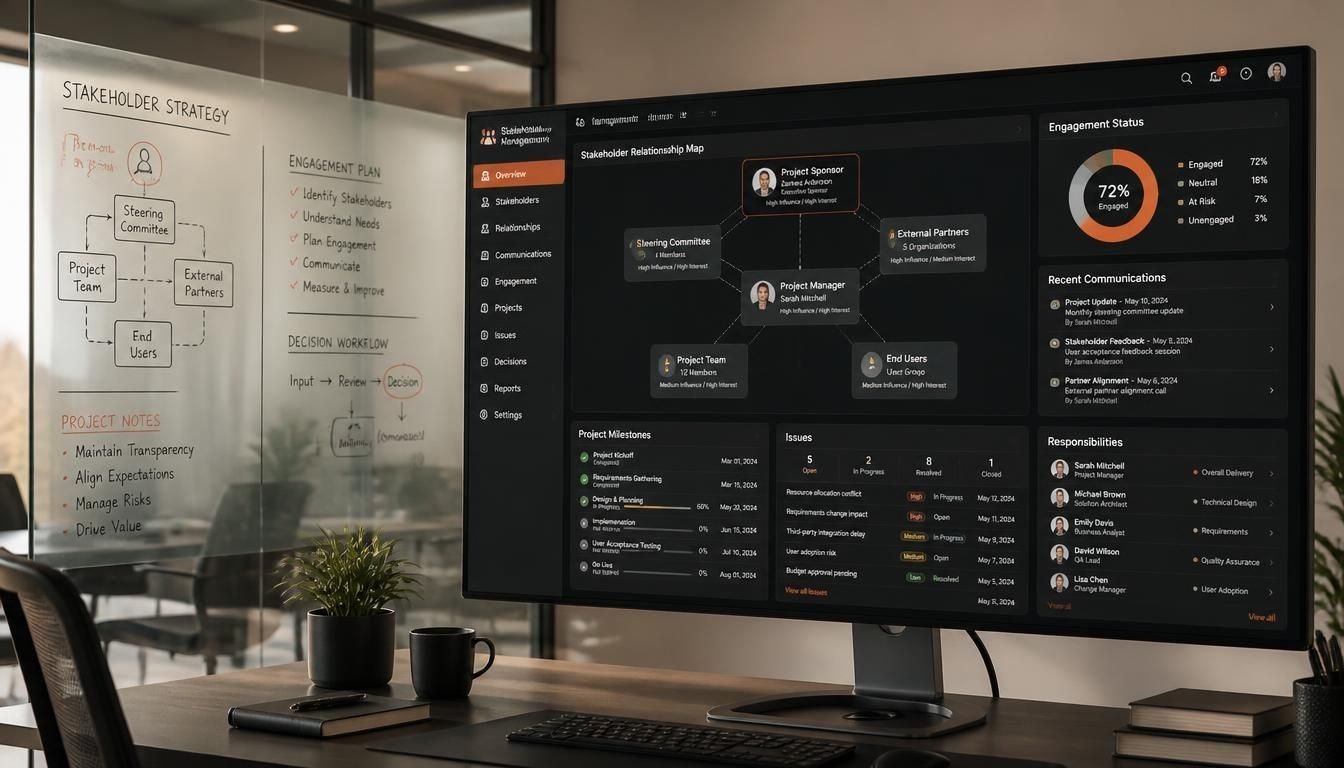
Stakeholder management software helps organizations organize relationships, track communications, manage concerns, and coordinate decisions throughout a project. Instead of relying on disconnected spreadsheets, email threads, and meeting notes, teams can maintain a shared record of who matters, what each person needs, and which actions remain outstanding.
The right solution depends on how your organization works. A project manager overseeing an internal product launch may need stakeholder mapping and follow-up reminders. A public infrastructure team may require consultation records, geographic information, issue tracking, and evidence of how community feedback influenced decisions.
Understanding these differences helps you choose a system that solves real problems without adding unnecessary complexity.
What Is Stakeholder Management Software?
Stakeholder management software is a digital system for identifying, organizing, analyzing, and engaging people or organizations that can influence a project or are affected by its outcomes.
Stakeholders can include executives, employees, customers, investors, suppliers, government agencies, community members, and external partners.
A typical system helps teams maintain:
- Stakeholder names, roles, organizations, and contact details
- Influence levels, interests, expectations, and concerns
- Communication histories and meeting notes
- Engagement plans and preferred communication channels
- Assigned actions, deadlines, and outstanding commitments
- Project risks, feedback, and decisions
- Reports showing engagement activity and unresolved issues
The main purpose is to turn stakeholder information into useful action. Knowing that a stakeholder attended a meeting is helpful, but knowing what they requested, who must respond, and when the response is due is much more valuable.
How Stakeholder Management Tools Support Different Workflows
Not every organization manages stakeholders in the same way. Before evaluating features, identify the type of work your team needs to coordinate.
Project and program management
Project managers use stakeholder information to understand decision-making authority, communicate milestones, resolve concerns, and maintain alignment between departments.
For example, a software implementation may involve an executive sponsor, IT administrators, department managers, employees, and an external vendor. Each group has different priorities and approval responsibilities.
A shared system helps the project manager identify who needs an update, who must approve a change, and which concerns could delay implementation.
Community and public engagement
Government agencies, utilities, construction companies, and infrastructure organizations often engage residents, landowners, regulators, and community groups.
Their requirements may include public consultation records, feedback management, issue escalation, meeting documentation, and reporting on commitments.
A basic contact manager may not be sufficient when the organization must connect community feedback to specific decisions and maintain a reliable engagement history.
Business relationships and partnerships
Business development, corporate affairs, and partnership teams manage relationships with external organizations and decision-makers.
They may need to record previous conversations, track commitments, coordinate introductions, and identify opportunities for collaboration.
A relationship-focused platform can be more suitable than a project management tool when long-term relationships matter more than task boards.
Product development and internal change
Product managers and change leaders work with engineering teams, sales departments, customers, executives, and other groups affected by a new product or process.
The software helps them organize feedback, document competing priorities, and track decisions that influence product requirements or implementation plans.
Essential Features to Evaluate Before Choosing a Platform
The value of a platform depends on whether its features support your actual workflow. A long feature list does not automatically make a product suitable for your team.
1. Centralized stakeholder records
Each stakeholder should have a clear profile containing their role, organization, interests, communication history, and relevant project information.
Look for a system that prevents duplicate records and allows users to find people by organization, role, location, interest, or engagement status.
A centralized record also helps maintain continuity when a project manager leaves and another employee takes responsibility.
2. Stakeholder mapping and analysis
Stakeholder mapping helps teams assess influence, interest, expectations, and potential impact.
A common approach uses a power-interest matrix to group stakeholders into four categories.
| Stakeholder category | Recommended approach |
|---|---|
| High power and high interest | Manage closely and involve in major decisions |
| High power and low interest | Keep satisfied with relevant updates |
| Low power and high interest | Provide regular information and opportunities to contribute |
| Low power and low interest | Monitor and communicate when appropriate |
Software can make this analysis easier to update as project conditions change.
However, stakeholder classifications should not be treated as permanent. A department manager with limited influence early in a project may become a key decision-maker when implementation begins.
3. Communication planning and tracking
A useful platform should help teams plan communication according to stakeholder needs.
Important capabilities include:
- Communication schedules and reminders
- Meeting records and discussion notes
- Email or calendar integrations
- Communication preferences
- Follow-up assignments
- Records of decisions and responses
These features are especially useful when several team members communicate with the same stakeholder.
Without shared records, one employee may repeat a request that another colleague has already addressed.
4. Issue and commitment management
Stakeholder concerns often become project risks when nobody takes responsibility for resolving them.
Look for features that allow users to record an issue, assign an owner, set a due date, document the response, and track its status.
For example, a business stakeholder may request a change to a project milestone. The team should record the request, assess its impact, identify the decision-maker, and document whether the change was approved.
A completed meeting or email should not automatically mean that the underlying issue is resolved.
5. Stakeholder collaboration
Stakeholder collaboration requires more than shared contact lists. Teams need a practical way to coordinate work, exchange relevant information, and maintain accountability.
Useful capabilities include shared notes, comments, task assignments, document access, approval workflows, and notifications.
When external stakeholders are involved, consider whether they can submit feedback or complete assigned actions without receiving unnecessary access to internal project information.
6. Reporting and analytics
Reports should help managers understand engagement quality rather than simply count activities.
Useful reporting measures include:
- Stakeholder groups contacted
- Outstanding commitments
- Overdue responses
- Unresolved concerns
- Participation across stakeholder groups
- Decisions awaiting approval
- Changes in stakeholder sentiment when supported by reliable feedback
For example, a report showing 50 completed meetings may look positive. However, if 12 important concerns remain unresolved, the team still has significant work to do.
7. Security, permissions, and data controls
Stakeholder records may contain confidential business discussions, personal contact information, sensitive feedback, or commercially important documents.
Evaluate access controls, audit logs, data retention settings, export options, backup procedures, and the vendor’s security documentation.
For US organizations, privacy and contractual requirements can vary by industry, state, and the type of information collected. Teams should verify applicable obligations rather than assume that every platform provides the same level of protection.
Stakeholder Management Software vs. General Collaboration Tools
One of the most important purchasing decisions is whether you need a dedicated stakeholder platform or can configure tools your organization already uses.
| Tool category | Best use | Main limitation |
|---|---|---|
| Spreadsheets | Small projects with straightforward stakeholder lists | Limited relationship history, accountability, and reporting |
| Project management software | Internal tasks, deadlines, approvals, and project coordination | Stakeholder relationship records may require manual configuration |
| CRM software | External relationships, contact history, and communication tracking | May lack project-specific mapping or consultation features |
| Dedicated stakeholder platform | Complex engagement, stakeholder analysis, issue tracking, and reporting | May require additional cost, setup, and training |
| Communication tools | Everyday messaging, meetings, and team discussions | Conversations can become disconnected from stakeholder records and commitments |
These categories can overlap. Some project management systems include contact databases, while some stakeholder platforms provide workflow automation and communication features.
The deciding factor is whether the software can connect a stakeholder’s needs and interactions to the actions and decisions your team must manage.
What to Check During Software Evaluation
Use the following checklist to compare potential platforms against your organization’s requirements.
| Evaluation area | What to verify | Why it matters |
|---|---|---|
| Stakeholder records | Custom fields, tagging, duplicate prevention | Keeps information organized and searchable |
| Mapping | Influence, interest, relationships, and group analysis | Helps prioritize engagement |
| Communication | Email, calendar, meeting history, reminders | Reduces missed follow-ups |
| Issue tracking | Ownership, deadlines, status, escalation | Prevents concerns from being overlooked |
| Collaboration | Shared notes, tasks, permissions, approvals | Improves coordination |
| Reporting | Custom reports, exports, dashboards | Supports decisions and accountability |
| Integrations | Existing CRM, project tools, and document systems | Reduces duplicate data entry |
| Security | Access controls, audit logs, retention, vendor documentation | Protects sensitive information |
| Implementation | Data migration, training, configuration, support | Determines how easily the team can adopt the system |
| Cost | Licensing, setup, training, integrations, and ongoing administration | Reveals the total cost of ownership |
How to Implement a Stakeholder Management System
Buying software is only one part of improving stakeholder management workflow. The organization also needs a consistent process for maintaining information and acting on it.
Step 1. Identify the stakeholders who matter
Start with the project’s objectives and identify people or groups who can influence the work or be affected by its outcomes.
Include decision-makers, operational teams, customers, vendors, regulators, and other relevant parties.
Avoid adding every possible contact without considering their connection to the project. An unnecessarily large database becomes difficult to maintain.
Step 2. Define the information your team needs
Decide which fields every stakeholder record should contain.
A practical starting point includes:
- Name and organization
- Role and decision-making authority
- Main interests and expectations
- Influence and level of interest
- Preferred communication method
- Current concerns
- Last interaction
- Next action and assigned owner
Use additional fields only when they support a genuine business requirement.
Step 3. Set engagement responsibilities
Every important action should have a responsible person and a clear deadline.
For example, the project manager may own executive updates, the technical lead may answer implementation questions, and the communications manager may coordinate external announcements.
This arrangement reduces confusion and helps stakeholders receive consistent information.
Step 4. Create communication and escalation rules
Define when updates should be sent, which decisions require approval, and how urgent concerns should be escalated.
A high-impact issue may require immediate attention, while a routine status update can follow the regular communication schedule.
The software should support these rules rather than force the team to manage every situation through the same workflow.
Step 5. Import and validate existing records
Before importing data from spreadsheets, email systems, or a CRM, remove duplicates and check important fields.
Confirm that contact details are accurate and that sensitive information is handled appropriately.
Test a small sample first. This helps identify mapping errors before the entire database is transferred.
Step 6. Review engagement quality regularly
Schedule periodic reviews to check whether stakeholder records are current, commitments are being completed, and important groups are receiving appropriate communication.
Update stakeholder priorities when project scope, leadership, risks, or expectations change.
A system becomes useful when teams maintain it as part of their normal work rather than treating it as a separate administrative task.
Practical Example: Managing Stakeholders During a US Construction Project
Consider a commercial construction project in Texas involving a property owner, general contractor, subcontractors, local authorities, nearby businesses, and utility providers.
Each group has different responsibilities and concerns.
The property owner needs progress updates and budget visibility. Subcontractors need coordinated schedules. Local authorities may require documentation and inspections. Nearby businesses may need advance notice of disruptions.
A well-configured stakeholder system can help the project team:
- Maintain a separate record for each stakeholder and organization.
- Identify which parties approve changes or control critical dependencies.
- Record concerns about access, noise, schedules, and inspections.
- Assign each concern to the appropriate project team member.
- Track commitments and deadlines.
- Document decisions and communicate relevant updates.
- Generate reports showing outstanding issues and unresolved approvals.
Suppose a nearby business reports that planned site access will interfere with deliveries. The team can record the concern, assign it to the site manager, evaluate alternative arrangements, and document the agreed response.
The benefit is not simply that the conversation has been saved. The concern has an owner, a response process, and a traceable outcome.
Expert Decision Framework: Which Stakeholder Management Software Fits Your Team?
The best choice depends on the complexity of your relationships, the consequences of missed communication, and the level of reporting your organization requires.
Choose a spreadsheet for a small and stable project
A spreadsheet may be sufficient when one person manages a limited number of stakeholders, interactions are infrequent, and there are few reporting requirements.
It is inexpensive and easy to customize.
Move to a dedicated system when multiple people need shared records, stakeholder relationships become complex, or follow-up work is frequently missed.
Choose project management software for internal coordination
A project management platform is often a practical choice when stakeholder work mainly involves internal tasks, approvals, deadlines, and project updates.
It may be enough if your organization already has a suitable subscription and can configure stakeholder records without extensive customization.
However, test whether it can preserve communication history, relationship analysis, and issue records at the level your team needs.
Choose a CRM for relationship-focused work
A CRM is worth evaluating when the main requirement is managing ongoing relationships with clients, partners, investors, or other external contacts.
Check whether it can connect individual contacts to organizations, meeting histories, commitments, and relevant project activities.
If stakeholder influence mapping, consultation evidence, or formal issue resolution is central to your work, confirm these capabilities before relying on a general CRM.
Choose dedicated software for complex engagement
A specialized platform may be the better option when several departments manage the same stakeholders, public consultation is involved, engagement records must remain traceable, or reporting requirements are demanding.
This is particularly relevant to infrastructure, utilities, public agencies, community engagement, and large programs involving many external parties.
The additional cost and setup effort are justified only when the platform addresses requirements that simpler tools cannot manage effectively.
Score your shortlisted platforms before buying
Use this weighted evaluation model to make the decision more consistent.
| Criterion | Suggested weight |
|---|---|
| Core stakeholder management features | 25% |
| Ease of use and team adoption | 20% |
| Reporting and accountability | 15% |
| Integrations and data migration | 15% |
| Security and access controls | 15% |
| Total cost of ownership | 10% |
| Total | 100% |
Rate each platform from 1 to 5 for every criterion. Multiply each rating by its weight and add the results to calculate a weighted score.
For example, a platform rated 4 out of 5 for core features earns 20 points out of the available 25 points for that category.
Use the score to compare options, not to make the decision automatically. A platform that fails a mandatory security or compliance requirement should be removed from consideration regardless of its overall score.
Before signing a contract, run a pilot using a real project. Test stakeholder searches, issue assignments, reminders, reporting, permissions, and data exports. Ask the team to complete normal work in the system and identify any steps that create unnecessary effort.
Common Mistakes That Reduce the Value of Stakeholder Software
Choosing features before defining the problem
Organizations sometimes purchase a feature-rich platform without deciding what they need to improve.
Start by identifying specific problems such as missed commitments, duplicated communication, poor visibility into stakeholder concerns, or slow approval processes.
Then evaluate whether the software can solve those problems.
Treating engagement activity as proof of progress
The number of emails sent or meetings held does not necessarily indicate that stakeholders are aligned.
Track whether important questions receive answers, commitments are completed, and decisions move forward.
Failing to assign ownership
Recording a concern without assigning responsibility creates a database of problems rather than a system for resolving them.
Every significant issue should have an owner, a next action, and an appropriate deadline.
Overcomplicating the workflow
Too many mandatory fields, alerts, and approval steps can discourage regular use.
Begin with the smallest useful set of fields and workflows. Add complexity when the team can demonstrate a clear need for it.
Ignoring data quality and access
Outdated contact details and duplicate records undermine trust in the system. Poorly configured permissions can expose confidential information.
Assign responsibility for record maintenance and review access rights periodically.
FAQs
What is the main purpose of stakeholder management software?
Its main purpose is to organize stakeholder information, track interactions, coordinate engagement, and maintain accountability for decisions and commitments. It helps teams understand who needs attention and what action is required next.
What is the difference between stakeholder management software and stakeholder engagement software?
Stakeholder management software generally focuses on stakeholder records, relationship analysis, communication history, and follow-up actions.
Stakeholder engagement software often places additional emphasis on consultation activities, surveys, public feedback, and participation.
The terms overlap, so evaluate the actual features rather than relying on product labels.
Can small businesses use stakeholder management software?
Yes. Small businesses can use stakeholder management software to coordinate client relationships, suppliers, business partners, employees, and project decision-makers.
A spreadsheet or existing CRM may be sufficient for a small operation. A dedicated platform becomes more useful as the number of relationships, team members, and reporting requirements grows.
How does stakeholder collaboration improve project management?
Stakeholder collaboration helps people share information, coordinate responsibilities, resolve concerns, and document decisions.
When collaboration is connected to assigned actions and deadlines, teams can identify delays earlier and reduce confusion about who is responsible for the next step.
What features should I prioritize when comparing stakeholder management software?
Start with centralized records, stakeholder mapping, communication history, issue tracking, task ownership, and reporting.
Then assess integrations, security, permissions, data exports, ease of use, and total cost. Prioritize the capabilities your team will use regularly instead of paying for features that do not support your workflow.
Is stakeholder management software worth the cost?
It can be worthwhile when the cost of missed commitments, duplicated work, inconsistent communication, or inadequate reporting exceeds the cost of implementing and maintaining the system.
Compare the subscription and implementation costs with measurable improvements in administrative effort, issue resolution, and reporting quality. A pilot can help establish whether the expected benefits are realistic.
Can stakeholder management software integrate with existing business tools?
Many platforms offer integrations with email, calendars, CRM systems, project management applications, and document storage services. Available integrations vary by product and subscription.
Confirm whether the integration synchronizes information in both directions, which fields are supported, and whether additional configuration or licensing is required.
Select Software That Supports Better Stakeholder Decisions
The right platform should make stakeholder relationships easier to manage and important decisions easier to track. It should help your team understand stakeholder priorities, respond to concerns, coordinate commitments, and maintain reliable records without creating unnecessary administrative work.
For a small project, a spreadsheet or existing project management platform may be sufficient. For relationship-focused teams, a CRM may provide the required capabilities. Organizations managing complex engagement, public consultation, or extensive reporting may benefit from dedicated stakeholder software.
Define your requirements first, compare platforms against the same criteria, and test the leading option using a real project before making a long-term commitment.