
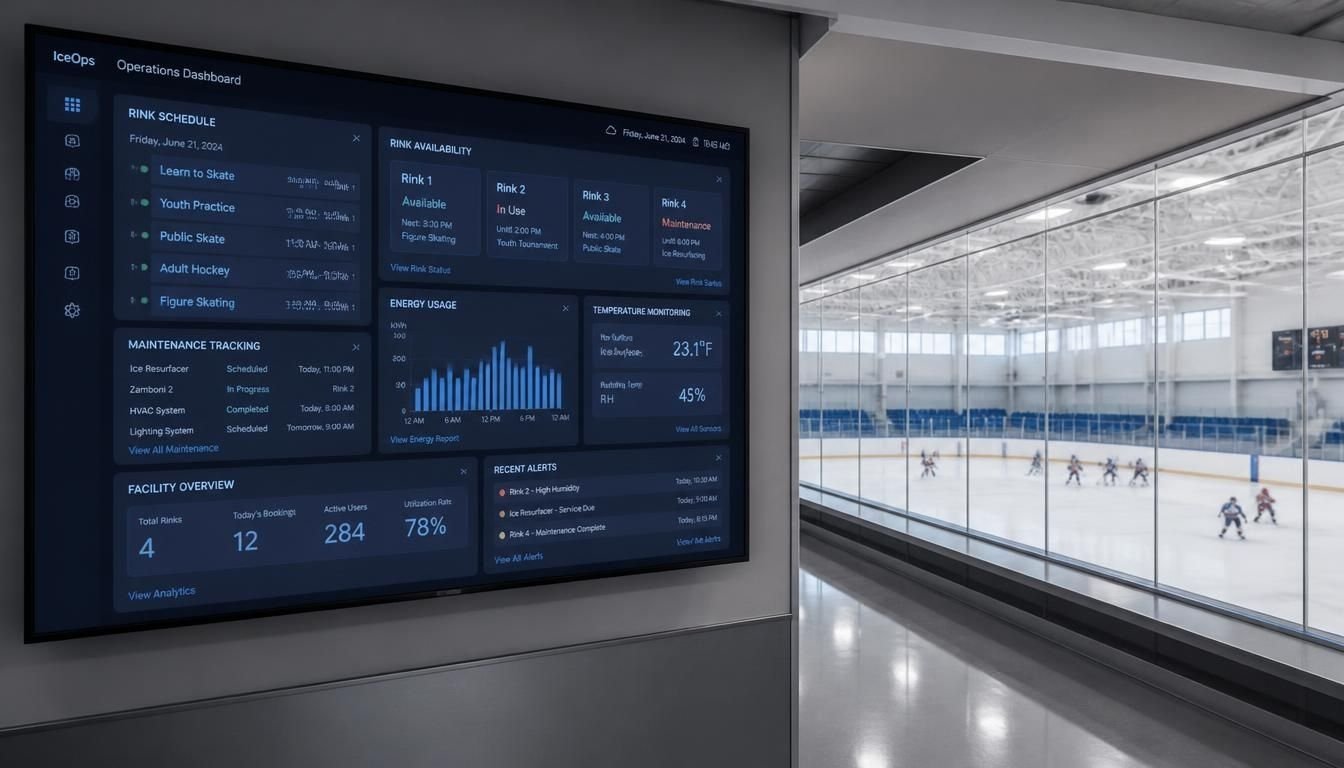
Ice rink operations involve more than maintaining a calendar. Operators must coordinate public skating sessions, hockey practices, figure skating lessons, private rentals, ice resurfacing, equipment maintenance and payments.
When these activities use separate spreadsheets or disconnected applications, staff may enter the same information multiple times. A reservation change can go unnoticed by maintenance staff. A recurring hockey booking may conflict with a public session. A repair may be scheduled without blocking the affected ice surface.
The ice rink operations management software features entities data model concept brings these operational needs together. Features define what the system can do. Entities represent the people, resources and transactions it manages. The data model defines how those records connect and how information moves between workflows.
A useful system should answer three questions:
- What is happening at the rink right now?
- Which resources, staff members and customers are involved?
- How will a change affect schedules, payments, maintenance and reporting?
These questions help determine whether a software platform can support everyday rink operations or merely provide a digital booking calendar.
Key Overview
- Ice rink software should connect scheduling, bookings, customers, payments and facility operations.
- A well-designed data model prevents double bookings and keeps rink records consistent.
- Core entities include ice surfaces, reservations, customers, programs, invoices, equipment and maintenance tasks.
- Connected data helps operators measure ice utilization, revenue and operational performance.
- The right system depends on rink size, operating complexity, integration needs and reporting requirements.
Essential Features of Ice Rink Operations Management Software
The best feature set depends on whether a facility primarily serves public skaters, hockey organizations, figure skating programs or a mix of activities.
Ice Scheduling and Reservation Management
Scheduling is the operational foundation. The system should maintain a shared calendar for every ice surface and show availability, reservations, recurring bookings and blocked periods.
Important capabilities include:
- Separate calendars for each ice sheet.
- Recurring reservations for teams and leagues.
- Public skating and instructional session scheduling.
- Private rentals and special events.
- Configurable rates by time, activity or customer type.
- Conflict detection before a reservation is confirmed.
- Buffer periods for resurfacing and session turnover.
- Cancellation and rescheduling records.
For example, a hockey team may reserve the same sheet every Tuesday evening. If a holiday tournament changes that schedule, the system should identify the affected reservation and notify the appropriate staff or renter.
A strong scheduling feature also distinguishes a requested booking from a confirmed reservation. Otherwise, two customers could believe they have secured the same ice time.
Online Booking, Ticketing and Check-In
Public skating and special events require a different workflow from contracted ice rentals. Online booking should let visitors select a session, view availability, pay and receive confirmation.
Useful capabilities include:
- Session capacity limits.
- Online ticket purchases.
- Walk-in registration.
- Digital tickets or check-in lists.
- Refund and cancellation handling.
- Group bookings and party packages.
- Digital waiver collection.
- Attendance tracking.
Capacity should be enforced against confirmed tickets and valid reservations rather than simply counting all booking requests. This prevents pending requests from consuming capacity indefinitely.
Customer, Membership and Program Management
A rink may serve individual skaters, families, hockey teams, clubs, schools, coaches and league administrators. The software should represent these relationships without creating unnecessary duplicate records.
Customer management should support contact information, booking history, memberships, program registrations and communication preferences.
Membership features may include recurring billing, renewal dates, eligibility rules and attendance records. Program management should support lessons, camps, clinics, league registrations and season-based activities.
The key requirement is a consistent customer record. A person who books public skating, rents equipment and enrolls in a class should not need three unrelated profiles.
Point of Sale, Payments and Inventory
Many facilities generate revenue through admission, skate rentals, concessions, merchandise and private events. An integrated point-of-sale system can connect these transactions to the correct customer, session or order.
Look for:
- Ticket and rental transactions.
- Concession and merchandise sales.
- Tax and discount configuration.
- Refunds and payment reconciliation.
- Equipment inventory and rental returns.
- Membership and program payments.
- Invoice generation for contracted ice time.
The system should distinguish an invoice from a payment. An issued invoice records an amount owed. A payment records money received. A refund or payment reversal should remain visible in the transaction history instead of silently changing the original record.
Maintenance and Ice Resurfacing
Ice conditions and facility readiness directly affect scheduling. Software should allow operators to block unavailable time, record equipment issues and coordinate maintenance tasks.
Useful features include:
- Resurfacing schedules and time buffers.
- Refrigeration and ice-making equipment records.
- Zamboni or ice resurfacer maintenance logs.
- Work orders and assigned technicians.
- Preventive maintenance schedules.
- Incident reports and corrective actions.
- Equipment inspection history.
A maintenance work order should connect to the affected equipment or facility area. If a repair makes a sheet unavailable, the scheduling calendar should reflect that restriction.
Software that tracks maintenance without communicating availability changes may leave staff with accurate repair records but an inaccurate booking calendar.
Staff Scheduling and Access Control
Different employees need different levels of access. Front-desk staff may process admissions, while rink managers approve refunds, adjust pricing or review financial reports.
A practical system should include:
- Staff accounts and role-based permissions.
- Shift schedules and timekeeping.
- Task assignments.
- Operational notifications.
- Audit logs for important changes.
- Restricted access to payment and customer information.
Permissions should follow job responsibilities. Employees should not receive administrative access simply because they need to view a calendar.
Reporting and Operational Analytics
Reports should turn daily transactions into information that supports management decisions.
Useful measures include:
- Ice utilization by sheet and time slot.
- Revenue per available ice hour.
- Booking cancellations and no-shows.
- Attendance by session or program.
- Membership renewals and participation.
- Rental and concession sales.
- Maintenance downtime.
- Outstanding invoices and payment status.
A report showing total revenue is less useful than one separating revenue by activity, time period and ice surface. The more consistently the system connects transactions to operational records, the more reliable these comparisons become.
Understanding the Entities in an Ice Rink Data Model
An entity is a distinct type of information that the software needs to store and manage. In a relational database, each entity is commonly represented by a table containing records and fields.
For an ice rink management platform, the data model should represent operational resources separately from the activities and transactions involving those resources.
Core entities and their purpose
| Entity | Example data fields | Main purpose |
|---|---|---|
| Facility | Facility ID, name, address, time zone | Identifies each rink location |
| Ice Surface | Surface ID, facility ID, sheet name, status | Tracks each individual ice sheet |
| Customer | Customer ID, name, email, phone | Stores customer information |
| Organization | Organization ID, name, contact | Represents teams, clubs and schools |
| Reservation | Reservation ID, surface ID, start time, end time, status | Records ice bookings |
| Program | Program ID, name, season, capacity | Defines classes, camps and leagues |
| Registration | Registration ID, program ID, customer ID | Links participants to programs |
| Invoice | Invoice ID, customer ID, amount due, status | Tracks amounts owed |
| Payment | Payment ID, invoice ID, amount, payment date | Records financial transactions |
| Equipment | Equipment ID, facility ID, type, status | Tracks machinery and other assets |
| Work Order | Work order ID, equipment ID, priority, status | Records repairs and maintenance tasks |
| Staff | Staff ID, role, contact details | Identifies employees and contractors |
These entities form a practical starting point rather than a mandatory schema for every product. A small seasonal rink may not need the same level of detail as a multi-sheet arena with leagues, retail operations and multiple facilities.
How the entities relate to one another
The entities become useful when their relationships reflect actual rink operations.
- One facility can contain multiple ice surfaces.
- One ice surface can have many reservations over time.
- One customer can make multiple reservations.
- One organization can have multiple teams or programs.
- One program can have multiple registrations.
- One invoice can have multiple payment records.
- One piece of equipment can have multiple maintenance work orders.
In a relational database, primary keys identify individual records and foreign keys connect related records. This helps maintain consistency and prevents references to records that do not exist.
For example, a reservation should store an ice_surface_id that points to an existing ice surface. The software should not rely on a manually typed sheet name because spelling variations can create duplicate or inconsistent records.
A Practical Data Model for Ice Rink Operations
A well-designed model should follow the way a rink operates from initial booking through service delivery and payment.
Facility
Facility ID · Address · Time zone
Ice Surface
Surface ID · Facility ID · Availability
Reservation
Customer · Surface · Time · Status
Customer
Booking and contact history
Maintenance
Downtime and work orders
Invoice and Payment
Charges · Transactions · Outstanding balance
Illustrative model. A production database would include additional relationships, validation rules and transaction records.
The diagram shows the main operational flow, but the actual database should support more than a single chain of records.
A reservation needs a customer or organization, an assigned ice surface, a time window and a status. Financial records connect to the appropriate customer and billable activity. Maintenance records connect to equipment or facility areas and may affect surface availability.
Separate reservation requests from confirmed bookings
A booking should have a clearly defined lifecycle, such as:
- Requested
- Pending approval
- Confirmed
- Completed
- Canceled
The exact statuses depend on the rink’s policies. The important point is that a request should not automatically be treated as a confirmed reservation.
The database and booking logic should also prevent conflicting confirmed reservations on the same surface. A simple calendar warning is not enough if two users can submit overlapping bookings simultaneously.
Model recurring bookings separately from individual occurrences
Hockey leagues and skating clubs often reserve the same time slot over several weeks or months.
Instead of creating one vague record for an entire season, use a recurring booking series linked to its individual reservation occurrences.
This structure makes it possible to:
- Change one practice without changing the entire series.
- Cancel a holiday occurrence.
- Track attendance for each session.
- Apply different rates to selected dates.
- Identify conflicts when a recurring series is created.
This is especially useful when seasonal schedules change frequently.
Data Integrity Rules That Prevent Operational Problems
The quality of a data model depends on its rules as much as its entities.
Prevent overlapping reservations
Each reservation should identify its surface, start time, end time and status. The system must validate that the end time follows the start time and that prohibited overlaps do not occur.
It should also account for operational buffers. If a session ends at 7 PM but resurfacing and preparation require additional time, the next booking should not begin before the surface is ready.
Keep customer and organization records consistent
A team may book ice through a club administrator while individual players register for programs separately. The system should distinguish the organization making the booking from the individuals attending.
Avoid using email addresses or names as the only record identifiers. Names can change, and families or organizations may share contact details.
Preserve transaction history
Payments, refunds, discounts and invoice adjustments should have traceable records. Important changes should identify the time of the change and the responsible user.
This makes reconciliation easier and helps resolve disputes about charges or canceled bookings.
Track maintenance restrictions independently
An ice surface can be unavailable because of scheduled resurfacing, a special event setup or an unexpected mechanical issue.
The data model should distinguish the reason for unavailability rather than treating every blocked period as an ordinary reservation. That distinction helps operators analyze lost capacity and plan maintenance.
Facts Table for Evaluating the Data Model
| Design area | Recommended approach | Why it matters |
|---|---|---|
| Record identification | Unique primary keys | Prevents ambiguous records |
| Entity relationships | Foreign keys | Keeps related records connected |
| Scheduling | Surface-level conflict validation | Prevents double bookings |
| Recurring events | Series plus individual occurrences | Supports exceptions and changes |
| Payments | Separate invoices and transactions | Improves reconciliation |
| Maintenance | Equipment records and work orders | Makes downtime traceable |
| Security | Role-based permissions and audit logs | Limits access and tracks changes |
| Reporting | Shared, consistent operational data | Improves utilization and revenue analysis |
These are design recommendations, not universal requirements for every software product. The implementation should match the facility’s actual workflows and technical environment.
How to Connect Ice Rink Software to Facility Systems
Scheduling and booking software does not necessarily control the physical systems that keep an ice rink operational.
Refrigeration, ventilation, humidity control, lighting and other building systems may use a separate building automation system. An ice rink data model can connect to this environment through approved integrations, but the software should not assume that booking data alone is enough to control equipment safely.
Useful integration opportunities include:
- Maintenance alerts from facility equipment.
- Energy consumption reports linked to operating periods.
- Equipment inspection records.
- Maintenance downtime reflected in booking availability.
- Financial reporting that combines operating expenses with revenue.
For example, a manager could compare electricity consumption during different operating periods against scheduled ice usage. Such analysis requires reliable readings and timestamps. It should not assume that higher utilization automatically means lower energy costs.
For safety-critical controls, qualified facility personnel should retain appropriate authority over operating limits and equipment control.
Reporting Metrics That Depend on Good Data
An effective dashboard requires consistent definitions and reliable source records. Otherwise, two reports may show different results for what appears to be the same metric.
Ice utilization
A basic utilization calculation is:
\[ \text{Utilization}= \frac{\text{Booked usable ice hours}} {\text{Available bookable ice hours}}\times100 \]
The denominator must be defined consistently. A sheet closed for repairs should generally be treated differently from a sheet that was available but remained empty.
The operator should also decide whether canceled bookings, complimentary sessions and internal training count toward utilization.
Revenue per available ice hour
\[ \text{Revenue per available hour}= \frac{\text{Revenue attributed to ice use}} {\text{Available bookable ice hours}} \]
The calculation should define which revenue categories count. Concession sales, equipment rentals and admission revenue may need to be reported separately from contracted ice rental revenue.
Maintenance downtime
Track unavailable hours caused by repairs or operational restrictions. Connect each period to the relevant work order so managers can identify recurring issues and understand their effect on scheduling.
Customer retention
Measure repeat bookings, membership renewals and program participation across defined periods. Customer identity must be consistent across transactions for these reports to be meaningful.
Expert Decision Guide: Choosing the Right Software Architecture
The right choice depends on the size of the facility, the complexity of its workflows and how much control the operator needs over the underlying data.
| Approach | Best fit | Main trade-off |
|---|---|---|
| Spreadsheet-based tracking | Very small operations with simple schedules | Limited conflict control and reporting |
| Dedicated rink management software | Facilities needing established scheduling and operational workflows | Features and data access vary by vendor |
| Configurable facility management platform | Operators with complex booking, billing and maintenance needs | Configuration can require more time and technical support |
| Custom-built application | Organizations with specific workflows or integration requirements | Development, security and long-term maintenance remain the operator’s responsibility |
Questions to ask before purchasing
Can the platform represent your actual operations?
Ask for a demonstration using a recurring hockey booking, a public skating session, a canceled reservation and an unexpected maintenance closure. Observe how each change affects the calendar, customer communication and reporting.
Can you access and export your data?
Confirm whether customer records, reservations, invoices and payment history can be exported in usable formats. Check API availability, integration restrictions and any fees for data access.
Does the system support multiple sheets and facilities?
A multi-sheet rink needs independent surface availability while retaining a shared facility view. Multi-location operators may also need separate pricing, permissions, time zones and reporting.
What is the full cost of ownership?
Compare subscription fees, setup costs, payment processing, hardware, integration work, staff training and ongoing support. A lower monthly fee may not be cheaper if essential features require additional services.
How are access and recovery handled?
Ask about staff permissions, multifactor authentication, backups, data retention, incident response and the process for restoring records after a failure.
When a custom data model makes sense
Custom development may be appropriate when the rink has unusual scheduling rules, specialized maintenance workflows or integration needs that existing software cannot meet.
Before building, define the core entities, expected reports, access rules and operational constraints. Validate the model with real scenarios rather than designing tables in isolation.
For most facilities, the better starting point is to evaluate dedicated software first. Custom development is easier to justify when a specific operational requirement cannot be handled reliably by an existing platform.
FAQs
What does an ice rink operations management software features entities data model include?
It includes the software capabilities needed to run a rink, the entities that represent operational records and the relationships connecting them. Typical entities include facilities, ice surfaces, reservations, customers, programs, invoices, payments, equipment and maintenance work orders.
Which features are essential for ice rink management software?
The main features are ice scheduling, reservation management, online bookings, customer records, payment processing, maintenance tracking, staff permissions and reporting. Ticketing, memberships, league management and inventory become important depending on the facility’s business model.
What is an entity in an ice rink database?
An entity represents a distinct type of information. For example, an ice surface is an entity because the system needs to store its identity, facility assignment and availability. A reservation is another entity that connects an ice surface to a particular time and booking.
How should an ice rink database prevent double bookings?
The system should validate reservation conflicts for the same ice surface and enforce the rule when bookings are saved. It should also handle simultaneous booking requests safely and account for resurfacing buffers and other unavailable periods.
Should customers and organizations be separate entities?
Yes, when the rink serves both individual customers and groups such as hockey clubs, schools or skating associations. Separate records allow a booking to identify the responsible organization while individual participants retain their own registration and attendance history.
Can ice rink software manage equipment maintenance?
It can if the platform includes maintenance functionality or integrates with a maintenance system. Equipment records, work orders, inspection dates and downtime records help staff coordinate repairs and keep the booking calendar accurate.
How does a data model improve ice utilization reporting?
It connects reservations to specific surfaces, time periods, activities and revenue records. With consistent definitions for available hours and booked hours, managers can identify underused time slots and compare demand across programs.
Can one platform manage several ice rinks?
Many platforms support multiple ice surfaces, and some support multiple facilities. Buyers should verify location-level permissions, separate calendars, pricing rules, time zones, reporting and data export before choosing a system.
What is the difference between rink management software and building automation software?
Rink management software generally handles scheduling, customers, reservations, payments and facility workflows. Building automation software monitors or controls physical systems such as refrigeration, ventilation and lighting. The two can exchange information through suitable integrations, but they serve different operational purposes.
What should be designed first when building custom rink software?
Start with the facility structure, ice surfaces, reservation rules, customer relationships and core reporting requirements. Then define payments, programs, equipment maintenance, staff permissions and integrations. Test the model against real booking changes and maintenance scenarios before implementation.
The Best Starting Point for an Ice Rink Data Model
Build the model around the operational decisions staff make every day. Start with accurate ice surface records, conflict-free reservations, consistent customer identities and traceable financial transactions. Add maintenance, programs, staffing and facility integrations according to actual requirements.
The most useful ice rink operations management software features entities data model is not the one with the largest number of tables or features. It is the one that keeps bookings accurate, makes operational changes visible to the right people and produces reports managers can trust.