
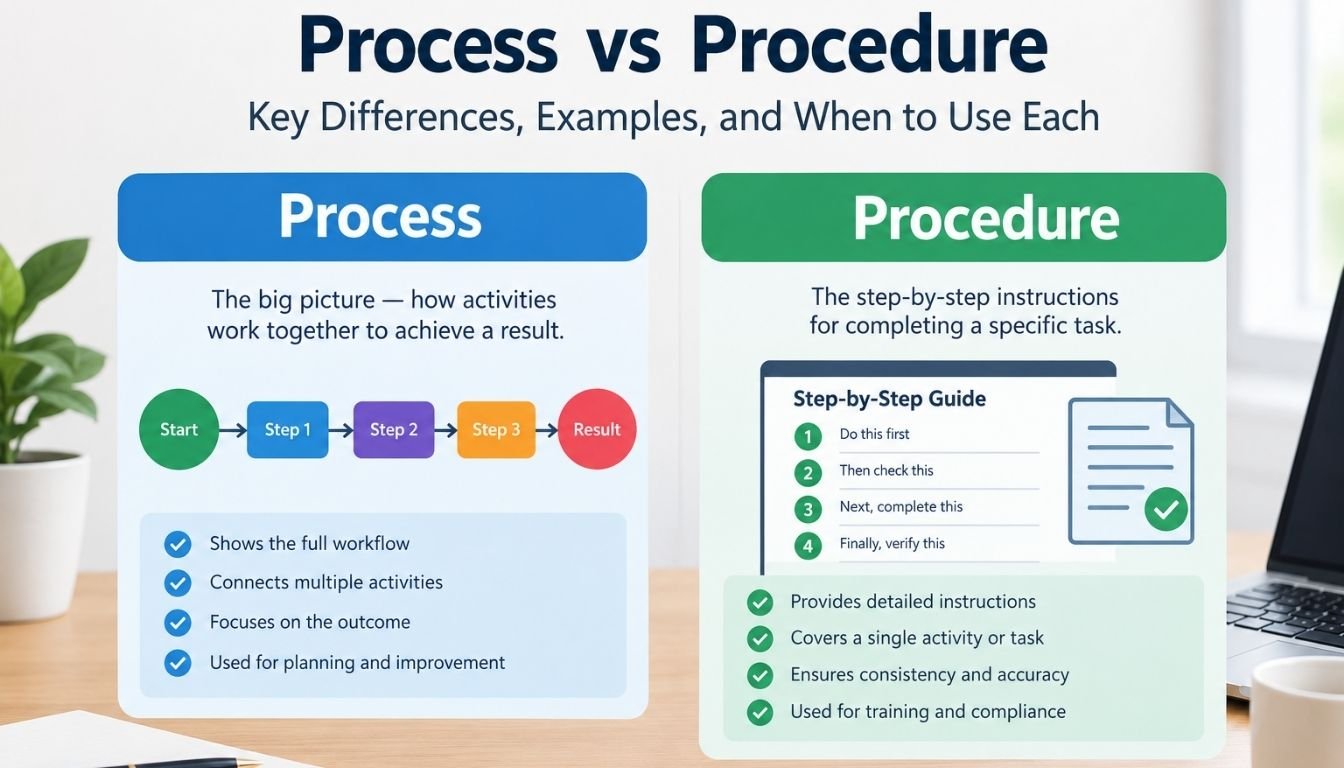
The main difference between a process and a procedure is the level of detail. A process shows how related activities work together to produce an outcome. A procedure describes the specified way to perform an activity or complete part of that process.
Consider a company that receives and fulfills customer orders. Its order fulfillment process begins when a customer places an order and ends when the order is delivered and recorded as complete. Procedures may explain how employees verify payment, check inventory, prepare shipments, and update the order status.
The process helps everyone understand the complete workflow. The procedures help employees perform individual activities correctly.
Process vs Procedure at a Glance
| Comparison | Process | Procedure |
|---|---|---|
| Main purpose | Achieve a business outcome | Standardize how work is performed |
| Primary question | What happens from start to finish? | How should an activity be performed? |
| Scope | A complete workflow or connected activities | A specific activity or defined sequence of work |
| Level of detail | Broad view of activities and handoffs | More detailed instructions |
| Typical format | Process map, flowchart, or workflow description | Written steps, checklist, or documented instructions |
| Main responsibility | Delivering the intended result | Following and maintaining the specified method |
| Example | Hiring a new employee | Verifying employment eligibility |
| Measurement | Completion time, quality, cost, or error rate | Accuracy, compliance, and adherence to required steps |
A process and a procedure are related but not interchangeable. A process may operate without a formal written procedure, while a procedure may describe how to perform one part of a larger workflow.
How a Business Process Works in Practice
A business process connects activities that transform inputs into useful outputs. Inputs might include customer requests, materials, data, or approvals. Outputs might include a completed service, an approved application, or a delivered product.
For example, a customer support process could follow this sequence:
- Receive a customer complaint.
- Record the issue in the support system.
- Assign the complaint to the appropriate team.
- Investigate the reported problem.
- Provide a resolution or escalate the issue.
- Confirm the outcome and close the case.
Several employees may participate in this process. The support team receives the complaint, a specialist investigates it, and a supervisor may approve an exception.
The process makes these connections visible. It helps managers identify delays, unnecessary handoffs, duplicated work, and unclear responsibilities.
A useful process description should identify:
- Trigger: What starts the workflow?
- Inputs: What information or resources are needed?
- Activities: What work must happen?
- Ownership: Who is responsible for each stage?
- Handoffs: When does responsibility move to another person or team?
- Output: What result completes the process?
- Performance measures: How will the organization evaluate the result?
These details make a process easier to understand and improve without requiring every individual action to be documented in advance.
How a Procedure Guides Employees Through Work
A procedure provides a defined method for performing an activity or process. It reduces uncertainty by explaining the required sequence and the conditions employees must follow.
For example, a procedure for handling a customer refund might instruct an employee to:
- Locate the original order.
- Verify the customer’s identity and purchase details.
- Check the applicable refund conditions.
- Confirm whether the refund requires additional approval.
- Submit the refund through the authorized system.
- Record the decision and notify the customer.
The exact steps will depend on the company’s actual refund rules and systems. The purpose is to make the approved method clear and repeatable.
A well-written procedure should specify the following when relevant:
- The activity it covers and when it applies.
- The role responsible for carrying it out.
- Required information, tools, and permissions.
- The steps and decision points.
- Approval requirements and exception handling.
- Records that must be maintained.
- The person or team responsible for reviewing the instructions.
Not every task needs a lengthy document. A short checklist may be sufficient for a straightforward activity, while a high-risk or tightly controlled task may require detailed instructions and documented approvals.
Real-World Examples of Processes and Procedures
The distinction becomes easier to apply when both concepts are considered within the same business function.
| Business function | Process | Example procedure |
|---|---|---|
| Human resources | Employee onboarding | How to verify required hiring documents |
| Finance | Accounts payable | How to validate an invoice before payment |
| Customer service | Complaint resolution | How to record and escalate a complaint |
| Manufacturing | Product production | How to inspect a component against defined criteria |
| Information technology | Employee account management | How to provision access using approved permissions |
| Healthcare administration | Patient appointment management | How to verify appointment details before confirmation |
| Retail | Order fulfillment | How to pack and label an order |
| Project management | Project change control | How to submit and approve a change request |
Each process focuses on the complete result. Each procedure defines a method for performing particular work within that larger activity.
A single process can have several procedures. For instance, employee onboarding may include separate procedures for document verification, equipment assignment, payroll setup, and system access.
Some procedures may also support more than one process. An invoice verification procedure could be used by multiple departments that purchase goods or services.
Process vs Procedure vs Policy vs Work Instruction
Business documentation often includes four related concepts. Understanding their roles prevents teams from creating overlapping documents that employees struggle to use.
| Document type | What it establishes | Example |
|---|---|---|
| Policy | Rules, principles, or boundaries | Employees must follow approved purchasing limits |
| Process | The flow of activities required to achieve an outcome | Request, review, approve, and purchase equipment |
| Procedure | The specified method for carrying out an activity or process | How a purchase request is reviewed |
| Work instruction | Detailed guidance for performing a particular task | How to enter a purchase request into the company’s software |
A policy establishes expectations. A process connects the work. A procedure explains the required method. A work instruction may provide even more specific operational details.
These boundaries are not identical in every organization. Some businesses use the term procedure for detailed instructions, while others separate procedures from work instructions. The important point is to define the document types consistently and make their purpose clear.
Where Does an SOP Fit?
A standard operating procedure, commonly called an SOP, is a documented set of instructions for performing work consistently. Depending on the organization, an SOP may cover a single task or a broader operational activity.
For example, an organization may maintain an SOP for processing supplier invoices. It might describe the responsibilities, required checks, approval conditions, and records associated with the activity.
The organization could also use a separate work instruction to explain how to enter invoice information into its accounting software.
An SOP is therefore a type of operational documentation rather than a completely separate alternative to a procedure. Its exact scope depends on the organization’s documentation standards.
How to Decide Whether Your Business Needs a Process Map or a Procedure
The right document depends on the problem you need to solve. Creating detailed instructions before understanding the full workflow can leave important gaps between departments. Creating only a process map may leave employees unsure how to perform specific tasks.
Use the following guidance to choose the right format.
Create a process map when the workflow is unclear
A process map is useful when several people or departments contribute to the same result. It shows the sequence of activities and makes handoffs, delays, and decision points easier to identify.
Consider creating one when:
- Employees disagree about what happens next.
- Work regularly gets delayed between departments.
- The same information is entered into multiple systems.
- Managers cannot identify where errors originate.
- You want to automate an existing workflow.
A simple flowchart is often enough to begin. More complex operations may benefit from a swimlane diagram that separates activities by employee, department, or system.
Create a procedure when employees need consistent instructions
A procedure is useful when a task must be completed in a defined way. It is particularly valuable when mistakes could affect safety, quality, customer experience, financial records, or regulatory obligations.
Consider documenting a procedure when:
- New employees need reliable instructions.
- The task involves approvals or authorization limits.
- Errors occur because people follow different methods.
- Records must be created or retained.
- Employees need clear directions for handling exceptions.
For routine work that requires little judgment, a checklist may be more practical than a lengthy procedure. For complex work, detailed instructions and decision rules may be necessary.
Use both when the workflow and the individual tasks matter
Many business activities require a process map and several procedures.
For example, a company that handles supplier payments might map the full workflow from receiving an invoice to recording the payment. Separate procedures could explain invoice verification, approval, payment processing, and exception handling.
The map helps employees understand where their work fits. The procedures help them complete their responsibilities correctly.
How to Document a Process and Procedure Without Creating Unnecessary Paperwork
Effective documentation should make work easier to understand and perform. A large collection of documents is not automatically better than a small, well-maintained system.
A practical approach starts with the work itself.
Step 1. Define the intended outcome
Write down what the activity must achieve. For example, the outcome might be an approved supplier invoice that is ready for payment.
Identify where the workflow begins and what counts as completion. This prevents the documentation from becoming an endless list of loosely connected tasks.
Step 2. Map the existing workflow
Talk to the employees who perform the work and document what actually happens. Identify the activities, systems, decisions, handoffs, and common exceptions.
Do not assume that the written instructions already reflect daily operations. A document may describe the intended workflow while employees use a different method in practice.
Step 3. Identify the activities that need procedures
Review the workflow and determine which tasks require a consistent method.
Prioritize activities that involve high risks, frequent errors, complex decisions, multiple approvals, or significant differences between employees.
A simple task that employees already perform consistently may not need a separate procedure.
Step 4. Write instructions that employees can follow
Use direct language and describe actions in the order they should occur. Explain what employees must verify, what conditions require approval, and what they should do when something goes wrong.
Include screenshots or examples when they make a complicated task easier to understand.
Avoid copying every possible detail into the main document. Link to supporting work instructions or checklists when that makes the material easier to maintain.
Step 5. Test the documentation
Ask an employee who did not write the instructions to use them. Observe where the employee becomes confused, misses a step, or needs additional information.
This test can reveal unclear wording, missing decision points, and assumptions that experienced employees may overlook.
Step 6. Assign ownership and review responsibilities
Every important document should have an identifiable owner. Define who can approve changes, who maintains the instructions, and how employees will access the current version.
Review documentation when a system, regulation, responsibility, or operational requirement changes. Set a review schedule appropriate to the risk and rate of change rather than allowing documents to become outdated.
Common Documentation Mistakes That Create Operational Problems
Even well-intentioned documentation can make work harder when the distinction between a process and a procedure is ignored.
Writing instructions before identifying the workflow
Employees may receive detailed steps without knowing how their work connects to the next department. Map the overall workflow first when responsibilities and handoffs are unclear.
Combining unrelated activities into one long procedure
A document covering too many different tasks can become difficult to navigate and update. Separate activities when they have distinct owners, triggers, risks, or approval requirements.
Documenting the ideal workflow instead of actual work
A process map is only useful if it reflects reality. Compare documented steps with how employees actually complete the work, then decide which differences need correction.
Creating procedures for every minor task
Excessive documentation increases maintenance work and makes important instructions harder to locate. Match the level of detail to task complexity, employee needs, and the consequences of mistakes.
Leaving exceptions undefined
Instructions that cover only the normal situation may fail when an invoice does not match a purchase order or a customer requests an unusual refund. Document escalation routes and decision authority for meaningful exceptions.
Failing to maintain current versions
Outdated instructions can cause inconsistent work even when the original procedure was accurate. Use clear version control and make the approved version easy to find.
Expert Decision Guide: Which Document Should You Create First?
When deciding between a process and a procedure, focus on the operational problem rather than the document’s name.
Use this decision framework to choose the most useful starting point.
| Your situation | Best starting point | Why |
|---|---|---|
| Nobody understands the full workflow | Process map | Reveals activities, ownership, and handoffs |
| Work is delayed between departments | Process map | Helps identify bottlenecks and unclear responsibilities |
| Employees perform the same task differently | Procedure | Defines a consistent method |
| A task requires approvals or specific controls | Procedure | Clarifies required checks and authorization |
| A workflow is being automated | Process map first | Establishes the intended sequence and exceptions |
| Employees need both the overall view and task instructions | Both | Connects the complete workflow with repeatable execution |
Consider risk before deciding how much detail to include
Not every business task deserves the same documentation effort.
A low-risk administrative task may need only a short checklist. A financial approval process may require documented authorization limits, verification steps, and an audit trail. A safety-critical activity may need formal instructions, training, and controls appropriate to applicable requirements.
Evaluate three factors:
- Risk: What happens if the task is performed incorrectly?
- Complexity: How many decisions, systems, people, or exceptions are involved?
- Consistency: How much variation can the business tolerate?
When the risk is high, stronger controls and clearer instructions are generally justified. When the work is simple and low risk, concise documentation may be sufficient.
Also consider maintenance costs. A procedure that requires frequent updates should have a clear owner and a practical review process. Otherwise, its value can decline as the business changes.
How to know whether the documentation is working
Measure the result rather than the number of documents created.
Useful indicators include:
- Errors or rework before and after implementation.
- Time required to complete the workflow.
- Delays caused by missing information or approvals.
- Employee questions about unclear steps.
- Missed handoffs or incomplete records.
- The percentage of sampled tasks completed according to required controls.
Choose measures that reflect the problem you originally wanted to solve. For example, if the main issue is delayed invoice payments, tracking cycle time and avoidable approval delays will be more useful than simply counting completed procedures.
FAQs
Can a process exist without a procedure?
Yes. A process can operate through established practices, employee knowledge, or informal coordination without a written procedure. However, documentation may be necessary when consistency, risk management, training, or applicable requirements demand it.
Can one process have multiple procedures?
Yes. A single process can include several procedures covering different activities or responsibilities. For example, employee onboarding may include procedures for document verification, payroll setup, equipment assignment, and system access.
Is a procedure more detailed than a process?
Usually. A process describes connected activities and the result they produce. A procedure typically provides more specific instructions for performing an activity or process. The level of detail depends on the organization’s documentation approach and the work involved.
Which should be documented first in a new business?
Start by identifying the important workflows and their intended outcomes. Map the processes that involve multiple roles or significant risks, then document procedures for activities that require consistency or clear controls. For a simple task with an immediate safety or compliance requirement, its procedure may need to be created at the same time.
What is the difference between a process and an SOP?
A process describes the connected activities that produce a business result. An SOP is a documented set of operating instructions used to perform work consistently. An SOP may cover one activity within a larger process or a broader operational workflow, depending on the organization’s standards.
Are processes and procedures required for ISO 9001?
ISO 9001 requires organizations to establish and manage the processes needed for their quality management systems and maintain documented information where the standard requires it or where the organization determines it is necessary for effectiveness. It does not require every process to have a separate written procedure. Documentation needs depend on the applicable requirements, operational complexity, risks, and the organization’s circumstances.
What is the difference between a process map and a procedure document?
A process map presents activities and their relationships visually. A procedure document describes the specified method for carrying out an activity or process. A map is useful for understanding the overall workflow, while a procedure helps employees perform their assigned work consistently.
How often should procedures be reviewed?
Review procedures when the underlying work changes and at intervals appropriate to their risk and complexity. Updates may be necessary after software changes, revised approval rules, recurring errors, changes in responsibilities, or new regulatory requirements. High-risk procedures generally need more active oversight than stable, low-risk tasks.
Build Documentation Around the Work Your Business Needs to Control
The most useful documentation system connects the full workflow with the instructions employees need to perform their responsibilities. Start with a process map when the overall sequence or ownership is unclear. Create procedures when specific tasks require a consistent method, defined controls, or reliable training.
For most organizations, the goal is not to document every action. It is to make important work understandable, repeatable, measurable, and easier to improve as business needs change.